

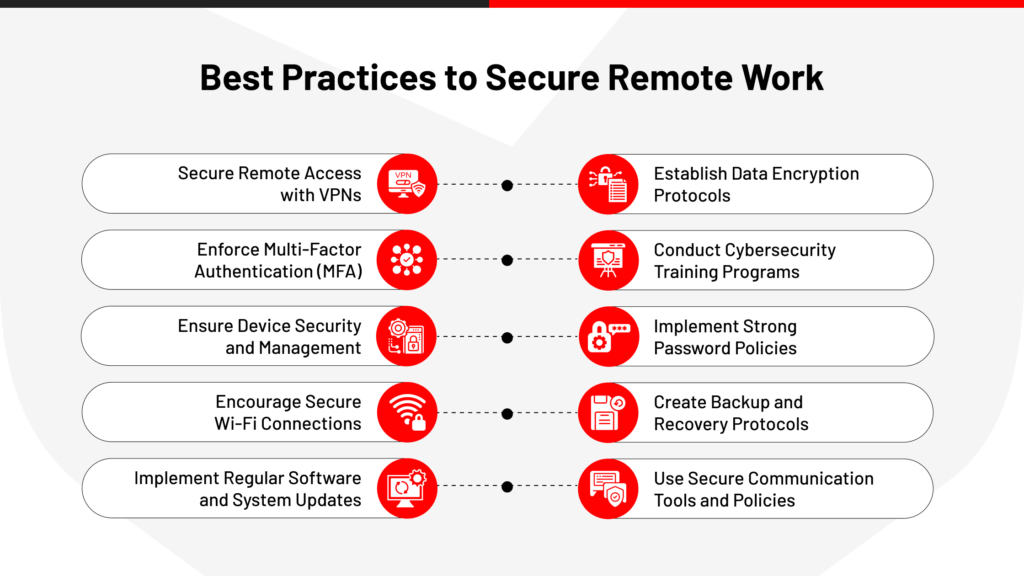
The rise of remote work has transformed how organizations operate across the globe. As we adapt to this new reality, it’s important to follow the Best Cybersecurity Practices for Remote Work Environments to ensure data and systems remain secure. What began as a necessity during the COVID-19 pandemic has evolved into a permanent feature of the modern workplace. Millions of employees now work from home, coworking spaces, cafes, and other remote locations, leveraging digital tools to stay productive and connected.
While remote work offers flexibility, reduced commuting time, and access to a broader talent pool, it also introduces significant cybersecurity challenges. Traditional office environments typically rely on controlled networks, centralized security systems, and dedicated IT support. Remote work environments, however, often involve personal devices, unsecured Wi-Fi networks, cloud-based applications, and distributed workforces, creating new opportunities for cybercriminals.
As cyberattacks continue to increase in frequency and sophistication, organizations must prioritize cybersecurity practices that protect sensitive data, maintain business continuity, and reduce the risk of security breaches. This article explores the best cybersecurity practices for remote work environments, providing practical strategies, examples, and insights to help businesses and employees stay secure.
Cybersecurity has become one of the most critical concerns for organizations with remote or hybrid workforces. The expansion of digital workspaces has significantly increased the attack surface available to cybercriminals.
Common remote work security challenges include:
Because employees often access sensitive company information outside traditional office environments, maintaining strong security controls is essential.
Remote workers face a wide variety of cyber threats. Understanding these risks is the first step toward effective protection.
Some of the most common threats include:
Cybercriminals frequently target remote employees because they may be working without the same level of security oversight found in corporate offices.
Passwords remain one of the most important lines of defense against unauthorized access.
Weak or reused passwords can allow attackers to gain access to multiple systems if a single account is compromised.
Best password practices include:
Password managers can help users generate and securely store complex passwords without requiring memorization.
Multi-factor authentication provides an additional layer of security by requiring users to verify their identity using more than one method.
Common authentication factors include:
Even if an attacker obtains a password, MFA significantly reduces the likelihood of successful unauthorized access.
Organizations that implement MFA across all critical systems greatly improve their security posture.
Home networks are often less secure than corporate environments.
Remote employees should ensure their Wi-Fi networks are properly configured and protected.
Recommended practices include:
A secure network helps prevent unauthorized access and reduces exposure to cyber threats.
Virtual Private Networks encrypt internet traffic and create secure connections between remote workers and company resources.
VPNs provide several benefits:
Organizations should require VPN usage whenever employees access sensitive business systems remotely.
Outdated software often contains known vulnerabilities that cybercriminals actively exploit.
Regular updates are essential for:
Automatic updates can help ensure that critical security patches are applied promptly.
Phishing remains one of the most successful cyberattack methods.
Attackers frequently impersonate trusted organizations, executives, or colleagues to trick victims into revealing credentials or downloading malicious files.
Employees should watch for:
Regular security awareness training helps employees identify and avoid phishing attempts.
Consider a remote employee who receives an email appearing to come from the company’s IT department. The email requests immediate password verification through a provided link.
Believing the request to be legitimate, the employee enters their credentials on a fake login page. The attacker then gains access to company systems, sensitive documents, and internal communications.
This simple scenario illustrates how a single phishing attack can compromise an entire organization if proper security measures are not in place.
Organizations should provide and manage dedicated work devices whenever possible.
Managed devices allow IT teams to enforce security policies, monitor threats, and deploy updates efficiently.
Device security measures should include:
Proper device management significantly reduces security risks.
Endpoint Detection and Response solutions provide advanced monitoring and threat detection capabilities.
EDR systems can:
These tools are particularly valuable in remote work environments where endpoints are geographically distributed.
The principle of least privilege limits users to only the access necessary for their job responsibilities.
This approach minimizes potential damage if an account becomes compromised.
Benefits include:
Organizations should regularly review user permissions and remove unnecessary access rights.
Remote work often relies heavily on cloud-based platforms for collaboration, storage, and communication.
Cloud security best practices include:
Cloud environments must be managed carefully to prevent unauthorized access and data exposure.
Employees are often the first line of defense against cyber threats.
Regular cybersecurity training should cover:
Well-informed employees are significantly less likely to fall victim to cyberattacks.
Data loss can result from cyberattacks, hardware failures, accidental deletion, or natural disasters.
Organizations should maintain reliable backup systems.
Effective backup strategies include:
Reliable backups enable organizations to recover quickly from incidents such as ransomware attacks.
No security program is perfect. Organizations must prepare for the possibility of incidents.
An effective incident response plan should include:
Rapid response can significantly reduce the impact of security breaches.
Not all security threats originate from external attackers. Insider threats can result from malicious actions, negligence, or human error.
Organizations should implement:
Managing insider risk is a critical component of cybersecurity.
Imagine a remote employee unknowingly downloading a malicious attachment from a phishing email. The malware encrypts company files and spreads across connected systems.
Without proper endpoint protection, backups, and incident response procedures, the organization may face significant operational disruption and financial losses.
However, if the company has implemented layered security controls, the attack can often be contained before causing widespread damage.
Traditional security models often assume that users inside a network can be trusted. Modern cybersecurity increasingly embraces a Zero Trust approach.
Zero Trust principles include:
Zero Trust architectures are particularly effective for remote and hybrid workforces.
As remote work continues to evolve, cybersecurity strategies will also advance.
Emerging trends include:
Organizations that embrace these innovations will be better positioned to defend against future threats.
Remote work has fundamentally changed the modern business landscape, offering flexibility and productivity benefits while introducing new cybersecurity challenges. As cybercriminals continue to target distributed workforces, organizations must adopt comprehensive security strategies that address both technical vulnerabilities and human behavior.
Strong passwords, multi-factor authentication, secure networks, VPNs, regular software updates, employee training, endpoint protection, cloud security measures, and incident response planning all play vital roles in maintaining a secure remote work environment. No single solution can eliminate all risks, but a layered approach significantly reduces the likelihood and impact of cyber incidents.
Ultimately, cybersecurity is a shared responsibility between organizations and employees. By fostering a culture of security awareness and implementing proven best practices, businesses can protect sensitive information, maintain customer trust, and thrive in an increasingly remote and digital world.